My High-Tech Tips on Reinventing Your Kid’s Backpack for Back-to-School

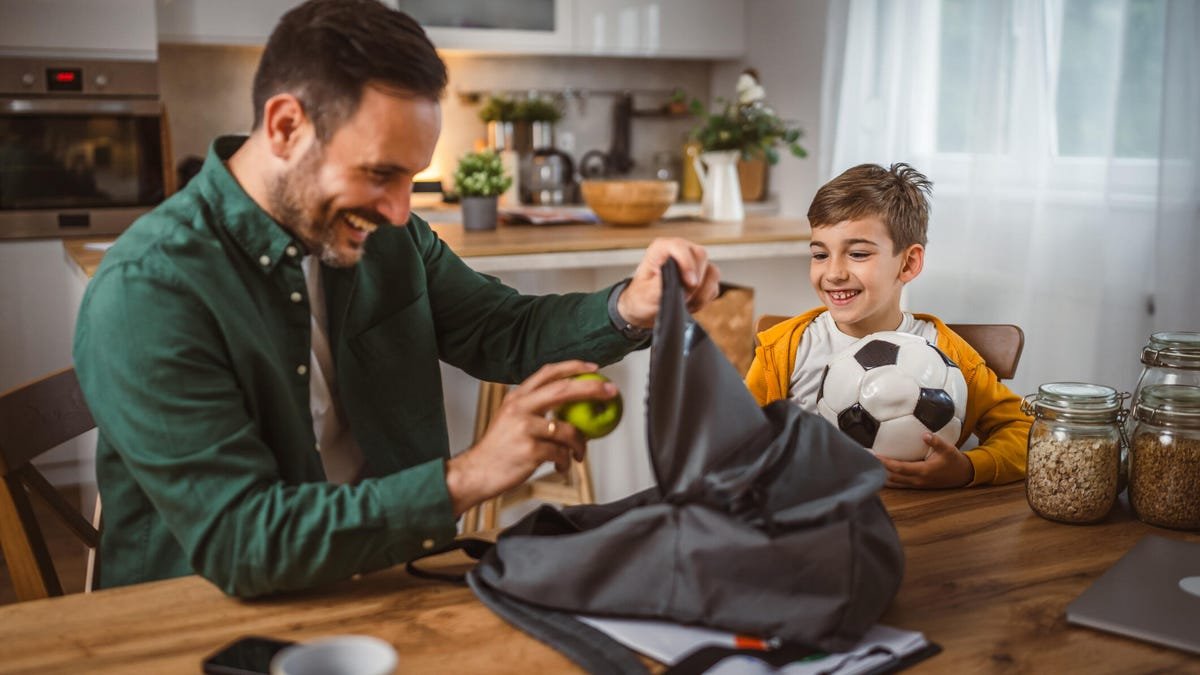
With back-to-school planning right around the corner, it’s time to think about backpacks. The classic backpack is long due for a high-tech upgrade, and I have just the ideas you need to check out.
These smart additions will give your child’s backpack important security features, better accessibility for technology, extra safety and even some extra style. Let’s start with the new types of backpacks available.
1. Find a USB-friendly (and cool) backpack with a charging pack
A good backpack has a channel for a USB cable and room for a spare power pack.
Step one is finding a new backpack that’s ready for today’s school tech — easier said than done, I know. You don’t have to upgrade backpacks if your kids already have a beloved option, but it’s an excellent starting place.
The challenge is finding a pack that both parents and kids will like. Nordace has a well-designed smart backpack with a fabric back that opens real estate for decorative pins ($110), but it may be too boring for some young kids. This cheap Pawsky pack ($25) has a better style, while this Lixada model ($88) has a programmable LED screen. All these options include a USB-friendly design with room for a power bank and a route to place a USB cable. Now the backpack is always ready to charge a student’s laptop or phone when they accidentally forget, once again, to check their battery life.
You could also choose a traditional pack like L.L. Bean’s junior book pack for younger kids ($35) and equip it with a charging pack as they get older and adopt more devices.
2. Attach a smart GPS tracker
AirTags are an excellent backpack accessory.
Consumer-friendly GPS trackers are everywhere now, from pet collars to winter jackets. My favorite choice for a back-to-school backpack is Apple’s AirTag, not only because it’s so easy to use but because it offers a cheap AirTag Loop that makes it easy to fasten to a backpack, inside or outside, so the little tracker doesn’t unexpectedly go missing.
When set up — which literally takes minutes if you’re an Apple user — the AirTag helps you locate the backpack’s location, send alerts when a backpack may have been left behind and check where the backpack is moving to.
One important note with kid-friendly trackers: Schedule periodic battery chargings on your calendar now, before school starts, so you won’t be surprised by a dead tracker at the worst times. Oh, and you may want to give your school a quick call about using an AirTag, because some districts discourage parents from using trackers.
3. Tuck away an emergency call button
An all-in-one panic button is a great addition to a school backpack before kids are ready for a smartphone.
If safety’s on your mind for younger kids heading to school, I also suggest finding a small inner pocket to store a special panic button or similar emergency device. My personal favorite is the latest model from Silent Beacon, which has two-way phone options, can automatically call the number of your choice when activated and has five alert modes to set (plus water resistance). That makes it perfect for a young kid’s backpack before they’re ready for a phone of their own.
You could also choose a simple personal alarm that can hang off a backpack and sound a loud siren when necessary, at a much more affordable price. Either way, take time to sit down with your child and explain how, why and when to use panic buttons like these.
When your child is old enough for their own smartphone, consider an emergency alert app like SABRE Personal Safety or the simpler Noonlight so they’ll be ready. Many phones also have free, built-in emergency SOS features.
Finally, Ring’s latest Panic Button ($30) isn’t really meant to be carried around, but it can easily fit in a backpack pocket. For free, you get the ability to immediately notify several emergency contacts when the button is pressed (it comes with a lid to help prevent false alarms). Those contacts could be relatives, teachers, school nurses, etc., depending on what you want to set it up.
4. Add a fob for your security system
Arlo’s fob is unique in its doorbell compatibility.
A fob is a basic, keychain-friendly device that can also attach to a backpack loop and will automatically disarm your security system and/or smart lock when it gets close. It’s incredibly useful if schedules collide and your child needs to get inside your home before you without having to memorize an access code.
Fobs are common for almost all home security systems. Arlo just came out with one for its affordable home security kit that works with its video doorbell too. If you have a security system, equip a fob on your little one’s backpack and thank me later.
Read more: Best Home Security Systems We’ve Tested
5. Add a bulletproof insert
Bulletproof inserts now exist for all types of school backpacks.
If you’re worried about school shootings, I don’t blame you, but you can take steps for your own peace of mind and your child’s safety. One of the new backpack additions that’s grown in popularity in recent years is a bulletproof insert. These aren’t cheap, but they can protect against a variety of gunfire when a backpack may be used as a shield.
This model from Premier Body Amor ($219), for example, is made to fit into the back of many standard school backpacks. The company makes other models in different sizes and rated for more powerful bullets, too. You may want to save this step for older kids, since these inserts can be heavy and backpacks are already too weighed down these days. Which brings me to a last, very important point.
6. Keep things light
Keep backpacks light for on-the-move kids.
As you start packing often-heavy electronics in your kid’s backpack, it’s a good time to load it up with school supplies and do a weight test on your home scale. The backpack should weigh no more than 15% of your child’s current weight, preferably about 10%. As laptops, battery packs, thermoses, books and gear add up, that weight can quickly become a concern. Do some measurements early and make adjustments so your children stay healthy.
For more insight into home security upgrades that can keep your family safe, we suggest reviewing the best DIY security systems and the best wireless home security setups you can find too.