This Wireless Half-Fan, Half-Lamp Saved My Hot Office This Summer

SwitchBot Standing Circulator Fan
Pros & Cons
-
Excellent battery design for a full day of wireless use -
Built-in lamp acts as a nightlight or desk lamp as needed -
Full set of app controls for oscillation, modes, speeds, timers and more -
Remote control and base controls for those who don’t like apps -
Solid, durable construction also resists accidental tipping over -
Can adjust height -
Very, very quiet at lower settings
-
I had problems trying to connect the fan to other apps like Apple Home and Google Home -
The battery life indicator didn’t prove very accurate
I’ve tested SwitchBot fans before and they’re the smartest around, with excellent design quality, even compared to SwitchBot’s other products. That’s what I was interested in the brand’s latest wireless standing fan, which offers even more features and stands several feet high so you can put it anywhere in the room.
The SwitchBot Standing Circulating Fan ($130) quickly became a staple in my office, offering not only app-controlled, customizable cooling for my hot summer (all the better when I can’t open a window during wildfire smoke), but also a built-in lamp for extra illumination. After charging up, the fan can last for a full day of operation anywhere I put it, and on lower settings it’s incredibly quiet. Since I like to save as much money as I can on my thermostat, I can see a fan like this becoming a staple in the hot months.
If you’re willing to pay more for an extra-advanced smart fan, this model is my top recommendation — although I found Matter compatibility problematic, so expect to rely on SwitchBot’s own app. Here’s what I found.
A solid tower fan with a battery design

SwitchBot’s tower fan design is both sturdy and easy to understand. It comes with two lengths to screw together and into the base, although you can leave one or both off to change the height of the fan, which stands at 40 inches full height.
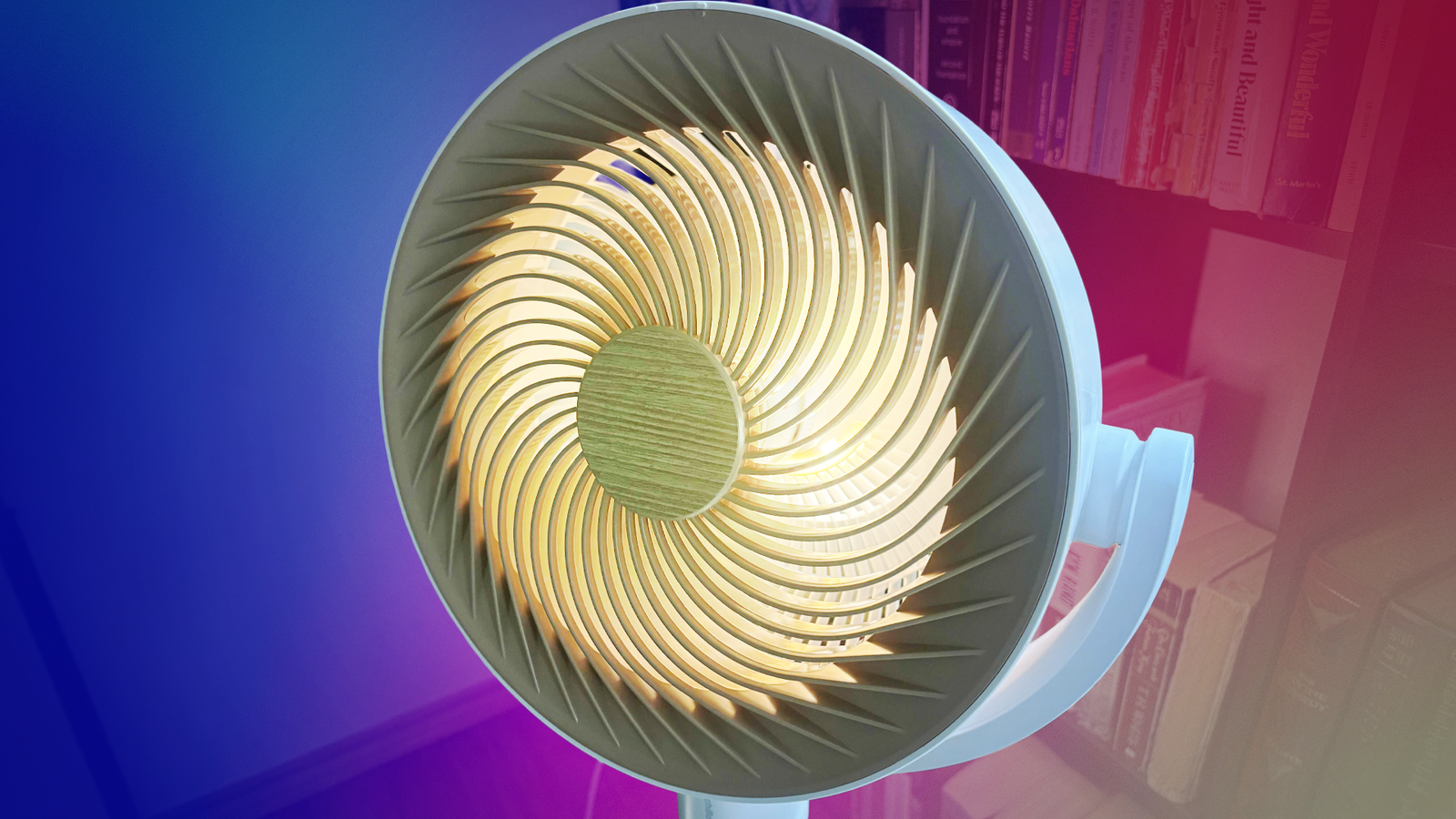
The fan blades and fan are also well-constructed, more so than some of the SwitchBot products I’ve tested, which can vary in quality. Here, the materials and weight of the fan make it both durable and resistant to tipping over. It’s only available in white with the wood-colored fan interior.

App controls are my favorite option for this fan because you can use them anywhere, but there are other controls. On the base of the fan there are several buttons for controlling power, speed, motion, modes and the built-in light, along with a small screen showing battery levels and status. There’s also a remote control included with similar buttons, if you prefer it to your phone.
After putting the fan together, I plugged it in and waited a couple of hours for it to fully charge, although you can use the fan when plugged in, too. You can also charge via USB-C if you prefer. The software setup was a little more complicated, depending on which home platform you prefer.
Smooth installation, except for Matter connections

Setup proved no trouble through SwitchBot’s own app, which immediately recognized and connected to the fan. But then I tried to set it up through Matter, the standard that supports other smart home platforms like Google Home, Alexa and Apple Home.
While the fan is rated for those home apps, I couldn’t get the fan connected. I have a compatible SwitchBot Mini hub, which I was able connect through Matter with some success, but I couldn’t add the fan itself. I tried deleting the fan and putting it back in pairing mode, plus scanning the QR code on the fan (which wasn’t recognized as valid by my apps), among other options, but nothing worked.

You may need to pair the fan with other home apps before setting it up with SwitchBot’s app, although SwitchBot’s instructions aren’t very clear. The good news is that SwitchBot’s own app offers full controls and settings that other home apps may not. Just don’t expect to use it smoothly with something like Apple Home, unless you’re luckier than I am.
A mode for every occasion, plus a useful built-in lamp

This fan has more options than nearly any other model. In normal mode, you can swipe heating levels from 1 through 10, although I found level 1 worked fine in my room. There’s also a sleep mode, which seems to be a medium setting, and a natural mode (my favorite) that varies speed to mimic a breeze. For direction, you can control vertical and horizontal movement at 30, 60 or 90 degrees.
At lower levels the fan is very, very quiet. In baby mode, I couldn’t hear it at all unless I was close to the fan. SwitchBot says the fan can be as quiet as 22 decibels, which is unrealistic in the real world, but I was able to get it around 32 dB (A) with my decibel meter, still low enough to get lost in other ambient sounds like the hum of electronics.
You also have the option to turn the lamp to soft or bright. It’s not as bright as a traditional desk lamp, but it can provide some extra illumination or serve as a nightlight.

As for that battery, I tested it at a full charge with the fan on the Natural setting with horizontal sweeping and the light on. It lasted for about a full work day, which would also equal a full night if you prefer to sleep with the fan on. The best scenario is probably having a reliable spot to plug the fan in and use it, then another few spots to move it in wireless mode. Of course, without the light it can last substantially longer — I’m currently waiting for the battery to die down on the lowest settings, and it’s taking much longer.
The one issue I noticed is the fan’s battery indicator seemed very unreliable. It moved from three-quarters full to immediately dying, so I couldn’t use it as a sign of when to start recharging.
I can’t overstate the usefulness of the battery option. In addition to letting me use the fan as a close-up light source whenever I wanted, I could also find the ideal spot to cover a room or focus on people in a room, depending on what I want. That also makes it a lot easier to charge the fan, then put it away in a closet and only bring it out when you need. I’m eyeing it as an alternative for my bedroom when nights get too warm, too.
Timers, schedules and more

I’ve covered the basic controls, but it’s worth mentioning the app also allows you to set timers for hours at a time (useful when falling asleep at night) and create on/off schedules for the week (better if you leave it plugged in).
You can also turn off the beeps the fan makes when activated, and set a child lock so kids can’t mess with the buttons on the base of the model. If Matter connections work for you, then voice commands are also an option.
Final thoughts on the SwitchBot Standing Circulating Fan

SwitchBot’s smart fan is one of the most versatile I’ve seen, not to mention the quietest. The included soft lamp light and full day of wireless use make the fan handy in so many situations around my home. The plethora of smart controls via app or physical buttons also means you can find the mode, speed and oscillation that suits you best, setting timers or schedules as you prefer.
Users should note I couldn’t get the Matter compatibility working with apps like Apple Home or Google Home, so I hope SwitchBot has an update to make this process smoother. Fortunately, SwitchBot’s own app controls are sufficient for any tinkering you may want to do.
Otherwise, this standing fan is an excellent choice for an office, bedroom, nursery or — thanks to the battery — anywhere else you may want to put it for a few hours in a hot summer. If you don’t need the tower fan capabilities, SwitchBot’s smart desk fan ($80) has almost all the same features, too.

See full bio